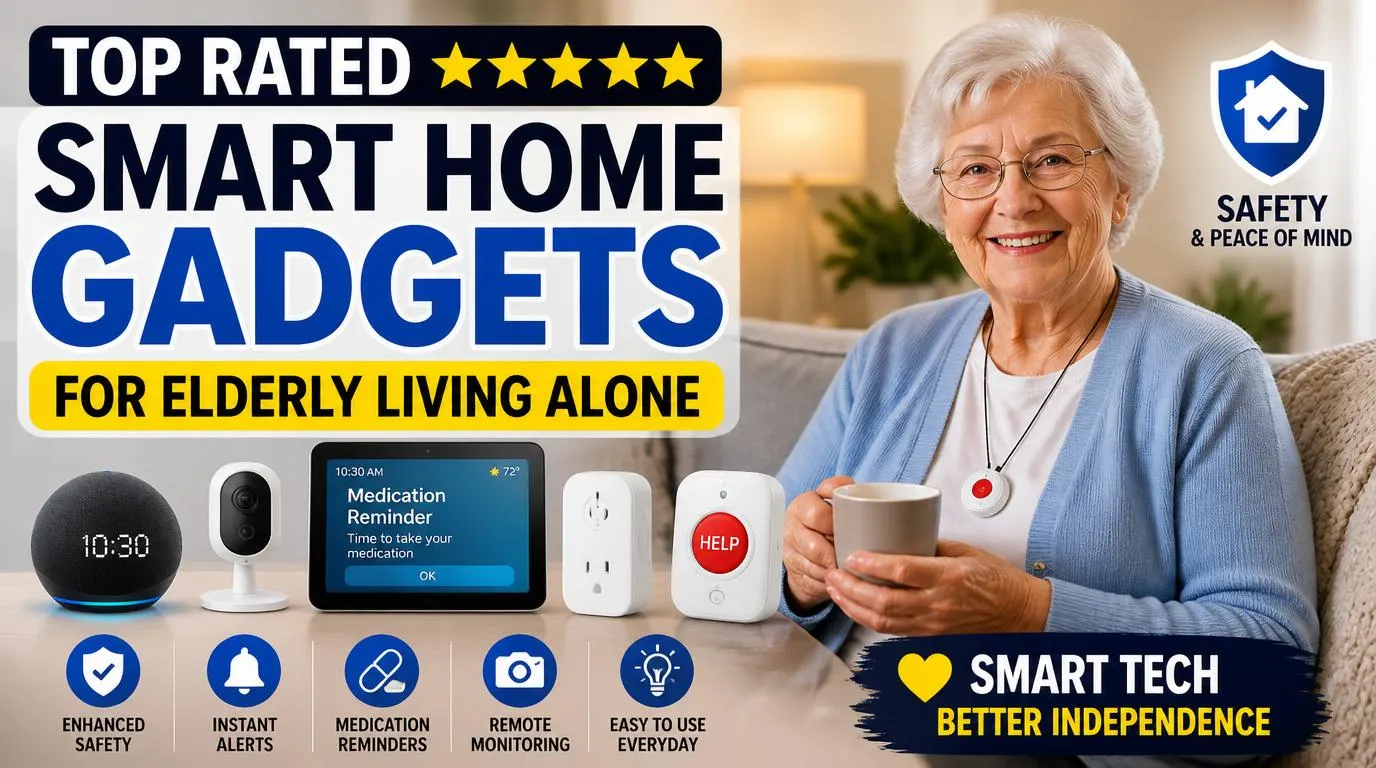
When I started researching top rated smart home gadgets for elderly living alone, it wasn’t out of curiosity. My mom had just turned 74, and she insisted on staying in her apartment. I respected that. But the worry kept me up at night. What if she fell? What if she forgot to turn off the stove? I spent months testing products, returning duds, and finally landing on a setup that gave both of us peace of mind.
Why These Gadgets Actually Matter for Solo Seniors
My mom isn’t tech-savvy. She still prints out emails. So when I say a gadget works for elderly adults living alone, I mean it works for people who didn’t grow up with smartphones. The right smart home devices don’t just add convenience. They create a genuine safety net.
Falls are the leading cause of injury for adults over 65, according to the CDC. Forgetting medications, leaving doors unlocked, or not being able to reach a phone during an emergency are real, daily risks. The gadgets on this list address those specific problems. I’m not recommending anything flashy or overcomplicated. Every single item here earned its spot because my mom could actually use it without calling me for help every 20 minutes.
1. Amazon Echo Show 10 (Best Voice Assistant for Seniors)
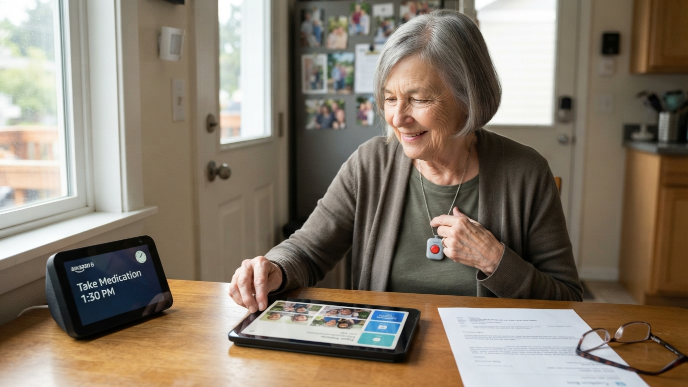
The Echo Show 10 became the command center of my mom’s apartment. She talks to Alexa dozens of times a day now, setting medication reminders, calling me hands-free, checking the weather before she walks to the mailbox.
What sold me was the rotating screen. It follows you around the room during video calls, so my mom doesn’t have to sit perfectly still in front of it. She can cook dinner and still chat with my sister in Phoenix. The Drop In feature lets me check on her with her permission if she doesn’t answer a call. That alone is worth the price. Setup took about 15 minutes, and Alexa’s voice commands are intuitive enough that my mom figured it out within a day.
2. Medical Guardian Mobile 2.0 (Best Medical Alert System)
I tried three medical alert devices before settling on the Medical Guardian Mobile 2.0. The other two felt clunky, and one had a subscription model that charged hidden fees. This one is straightforward.
It’s a small pendant my mom wears around her neck. One press connects her to a 24/7 monitoring center. It has built-in GPS, so if she’s at the grocery store or on a walk and something happens, responders know exactly where she is. The fall detection feature uses accelerometers to automatically alert the monitoring center if it detects a hard fall. My mom actually triggered it once by accident when she dropped it on the tile floor, and someone called back within 40 seconds. That response time made me a believer.
3. Ring Indoor Camera (Best Simple Security Camera)
My mom wasn’t thrilled about a camera inside her home at first. I get it. Nobody wants to feel watched. But once I explained she controls it entirely, she warmed up to it.
We placed one Ring Indoor Cam in her hallway near the front door. She can see who’s at the door from her Echo Show without getting up. I can check the live feed from my phone if I haven’t heard from her in a while. The two-way audio lets us talk through it, which she uses like an intercom. Night vision works surprisingly well, and the camera stores clips in the cloud with a Ring Protect subscription for about $4 a month. For the price, it’s hard to beat.
4. August Wi-Fi Smart Lock (Best Smart Lock for Seniors)
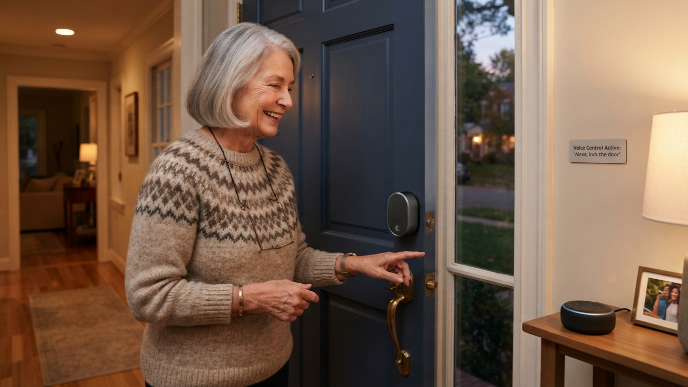
Keys are a problem for my mom. She loses them, forgets them inside, and once locked herself out at 9 PM on a Tuesday. The August Wi-Fi Smart Lock solved all of that overnight.
It fits over the existing deadbolt, so we didn’t need a locksmith. My mom can lock and unlock her door with a voice command through Alexa, or I can unlock it remotely from my phone if a caregiver or neighbor needs to get in. The auto-lock feature is what I love most. If my mom forgets to lock up at night, the door locks itself after a set time. She doesn’t even have to think about it. It also keeps a log of every lock and unlock event, so I can see that she’s coming and going safely.
5. iHealth Track Smart Blood Pressure Monitor (Best Health Tracker)
My mom takes blood pressure medication, and her doctor wants regular readings. Writing numbers on a notepad wasn’t working because she’d lose the notepad or forget to bring it to appointments.
The iHealth Track connects to her phone via Bluetooth and logs every reading automatically. Her doctor can access the data through a shared app dashboard. The cuff fits comfortably, and the large display shows numbers big enough that she doesn’t need her reading glasses. I set it up to remind her every morning at 9 AM through Alexa. She wraps the cuff, presses one button, and it’s done. Having months of accurate data at her next appointment made her doctor genuinely impressed.
6. Philips Hue Smart Bulbs with Motion Sensors (Best for Preventing Falls at Night)
Nighttime bathroom trips are when most falls happen for seniors. My mom used to fumble for a light switch in the dark hallway, half asleep. That terrified me.
I installed Philips Hue smart bulbs in her hallway and bathroom and paired them with Hue motion sensors. Now, when she gets out of bed at 2 AM, the hallway lights gently turn on at 20% brightness, enough to see clearly without blinding her. They shut off automatically after five minutes. No switches. No fumbling. The warm light doesn’t jolt her awake the way a full-brightness overhead would. This was one of the cheapest upgrades I made, and honestly, it might be the most important one.
7. Samsung SmartThings Water Leak Sensor (Best for Flood Prevention)
Water damage might not sound like a safety issue, but for a senior living alone, a burst pipe or overflowing sink can cause a dangerous slip or go unnoticed long enough to cause serious structural damage.
I placed Samsung SmartThings sensors under my mom’s kitchen sink, behind her toilet, and near her washing machine. If any sensor detects moisture, it sends an alert to both our phones immediately. The sensors cost about $20 each and the SmartThings hub connects everything. My mom flooded her bathroom sink once because she walked away to answer the phone. The sensor caught it in under a minute and pinged my phone. I called her, she turned off the faucet, and we avoided a real mess. Twenty dollars well spent.
8. GE CYNC Smart Plug (Best for Stove and Appliance Safety)
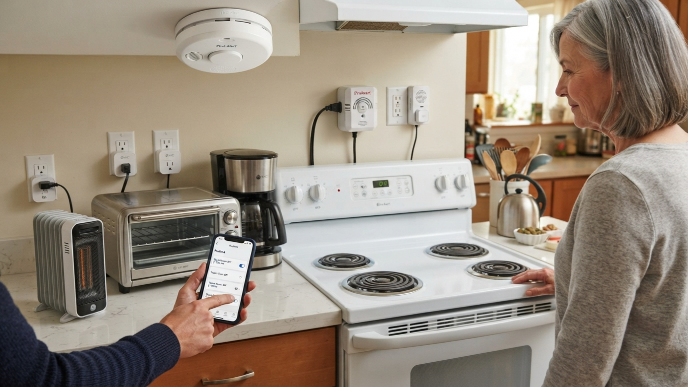
The stove situation was my biggest worry. My mom left a burner on twice in one month. I looked into smart stove knobs but found them unreliable. Instead, I got creative with GE CYNC smart plugs for smaller appliances like her space heater, toaster oven, and coffee maker.
These plugs connect to Wi-Fi and let me set automatic shutoff schedules. Her space heater turns off every day at 10 AM and again at 11 PM, no matter what. I can also kill power remotely from my phone. For the actual stove, I installed an automatic stove shutoff device called FireAvert, which listens for the smoke alarm and cuts power to the range if it goes off. Between the smart plugs and FireAvert, the fire risk dropped dramatically.
How to Set Up Top Rated Smart Home Gadgets for Elderly Parents
Getting the tech into the apartment is half the battle. Setting it up so your parent will actually use it is the other half. Here’s what worked for me.
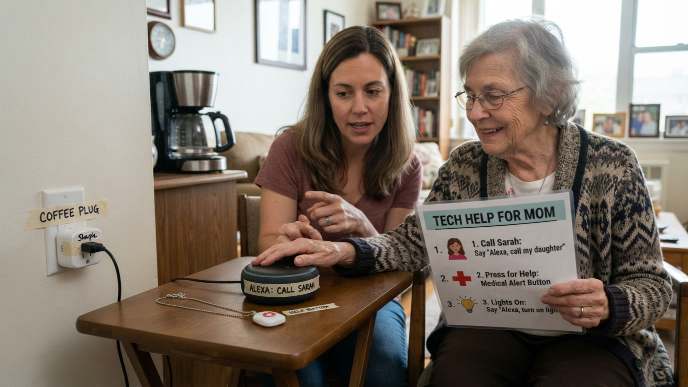
First, I did everything in one weekend. I didn’t spread it out over weeks because that creates confusion. I labeled every device with masking tape and a Sharpie. The smart plug next to her coffee maker literally says “Coffee Plug” on it.
Second, I made a one-page cheat sheet with big fonts. It covers three things: how to call me through Alexa, how to press her medical alert button, and how to ask Alexa to turn on the lights. That’s it. Three things. Not twelve.
Third, I practiced with her for a full day. We role-played scenarios. “Mom, pretend you fell. What do you press?” She rolled her eyes, but she remembered. The key with seniors and smart home tech isn’t buying the fanciest product. It’s making the product invisible enough that they forget it’s even technology.
FAQs
What are the easiest smart home gadgets for seniors who aren’t tech-savvy?
Voice-controlled devices like the Amazon Echo Show are the easiest starting point. Seniors don’t need to tap screens or navigate apps. They just speak. Pair it with smart bulbs and a medical alert pendant, and you’ve got a solid, low-learning-curve setup that handles safety, communication, and daily reminders without any confusing interfaces.
Do smart home devices for elderly adults require Wi-Fi?
Most of them do. A reliable Wi-Fi connection is essential for smart speakers, cameras, smart locks, and leak sensors. Medical alert systems like the Medical Guardian Mobile 2.0 use cellular networks, so they work even without Wi-Fi. If your parent’s internet is spotty, consider upgrading their router or adding a mesh system before installing anything else.
How much does a full smart home safety setup cost for a senior?
You can build a solid setup for around $500 to $800 upfront. The Echo Show runs about $250, the smart lock is around $230, smart bulbs and sensors total roughly $100 to $150, and the medical alert system runs $30 to $50 per month. It’s a fraction of what assisted living costs, and you can add pieces gradually based on budget.
Are smart home cameras an invasion of privacy for elderly parents?
This depends entirely on the conversation you have with your parent. I never installed a camera without my mom’s full agreement. We chose together where it would go, and she knows how to turn it off anytime. Framing it as her tool for seeing who’s at the door helped. It’s about giving her control, not taking it away.
Can top rated smart home gadgets for elderly living alone replace a caregiver?
No, and they shouldn’t. These gadgets fill the gaps between caregiver visits or family check-ins. They catch falls, prevent fires, and make communication easier. But they can’t help your parent shower, prepare meals, or provide the human connection that matters so much. Think of them as a safety layer, not a substitute for real human care.
Conclusion
Setting up my mom’s apartment with smart home gadgets didn’t just reduce my anxiety. It gave her back a sense of independence she was starting to lose. The right tech, installed thoughtfully, makes solo living safer without making your parent feel like they’re being managed. What’s the one safety concern that keeps you up at night about your parent living alone?