If you’ve ever changed your email password at 2 a.m. because you thought you saw a suspicious login, this list of top rated password managers for anxious security conscious users is basically written for you. I’ve been that person. The one who screenshots confirmation pages, triple-checks logout buttons, and feels a pit in my stomach every time a breach notification lands in my inbox. After years of rotating through sticky notes, spreadsheet systems, and sheer panic, I finally committed to finding the right password manager. Here’s what I landed on after genuinely living with each one.
1. Bitwarden: Best for Transparent, Open-Source Peace of Mind
Bitwarden was the first password manager that didn’t make me feel like I was trusting a black box. Because it’s open source, anyone can audit the code, and independent security firms actually have. That alone let me sleep better.
The free tier is absurdly generous. You get unlimited passwords across unlimited devices, which almost feels like a mistake. I upgraded to Premium ($10/year) mostly for the vault health reports, which flag weak, reused, or exposed passwords. For someone like me who obsessively wants to know the state of every credential, that feature is gold. The interface is a little plain, sure. But plain means fewer places for things to go wrong, and my anxious brain appreciates that trade-off.

2. 1Password: Best for Families Who Worry Together
My partner and I used to argue about shared passwords for streaming accounts and utility logins. 1Password fixed that entirely with its family plan, which gives each person their own vault plus shared vaults for household stuff.
What really calmed my nerves was Watchtower, their built-in security dashboard. It monitors for compromised passwords, weak credentials, and sites where you haven’t enabled two-factor authentication. Every time I open the app, I get a quick snapshot of where I stand. The Travel Mode feature also impressed me. It lets you remove sensitive vaults from your device before crossing borders, then restore them after. If you’ve ever felt a flicker of panic handing your phone to a customs agent, you get why this matters. At $4.99/month for the family plan, it’s not the cheapest, but the polish and reliability justify the cost.
3. Dashlane: Best for Real-Time Breach Monitoring
Dashlane is the password manager for people who want to be the first to know when something goes wrong. Their dark web monitoring actively scans for your email addresses and credentials showing up in leaked databases, then alerts you immediately.
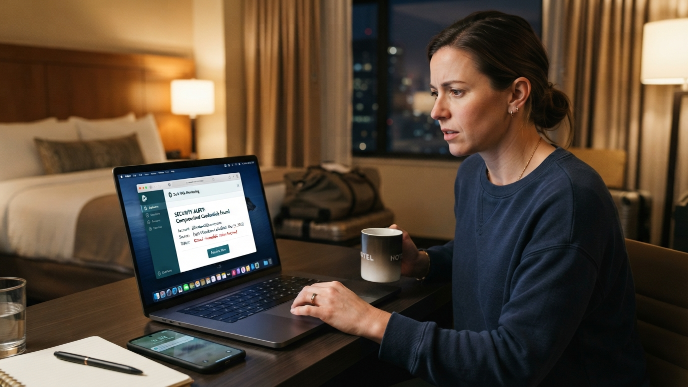
I tested this by deliberately using a burner email I knew had been compromised. Within hours, Dashlane flagged it and walked me through changing the associated passwords. That proactive approach felt like having a security-minded friend watching my back 24/7. The built-in VPN on the Premium plan ($4.99/month) adds another layer. It’s not a replacement for a dedicated VPN service, but for quick, encrypted browsing on hotel Wi-Fi, it does the job. My one gripe: Dashlane ditched its desktop app in favor of browser extensions only. If you like a standalone application, that might bug you. For me, it was a minor adjustment.
4. Proton Pass: Best for Privacy-First Paranoia (Said Lovingly)
If you already use ProtonMail because you don’t trust Google with your emails, Proton Pass will feel like coming home. It’s built by the same Swiss-based team, operates under strict Swiss privacy laws, and uses end-to-end encryption for everything, including metadata.
What sets it apart for anxious users is the hide-my-email aliases feature. Every time you sign up for a new service, Proton Pass generates a unique email alias. If that service gets breached, the alias is burned, not your real email. I used this for every online shopping account I created over the holidays, and it gave me a genuine sense of control I hadn’t felt before. The free plan covers unlimited devices and unlimited passwords. The paid plan ($3.99/month) adds more aliases and integrated two-factor authentication. For privacy-obsessed folks, this one is a no-brainer.
5. Keeper: Best for Locking Down Sensitive Files Too
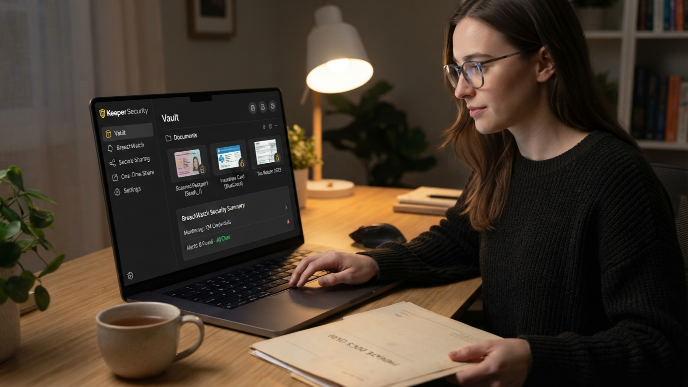
Keeper goes beyond passwords. Its secure file storage let me stash scanned copies of my passport, insurance cards, and tax documents inside an encrypted vault. For someone who used to keep those in a “hidden” folder on my desktop (I know, I know), this was a massive upgrade.
The breach monitoring tool, called BreachWatch, scans your saved credentials against known leaked databases and pushes alerts when it finds matches. I found the setup wizard particularly helpful for anxious first-timers. It walked me through importing passwords from my browser, flagged the weak ones, and prompted me to update them on the spot. Pricing starts at $2.92/month for the personal plan. One downside: the free tier is extremely limited, basically a trial. But the paid experience is polished and reliable, and their customer support actually responds quickly, which matters when you’re panicking about a potential breach at midnight.
6. NordPass: Best for a Clean, Stress-Free Interface
Sometimes anxiety gets worse when an app throws too much information at you. NordPass keeps things minimal. The interface is clean, the categories are simple, and the autofill works smoothly across browsers and devices without weird hiccups.
NordPass uses XChaCha20 encryption, which is the same encryption standard some military applications rely on. You don’t need to understand the technical details to appreciate that your passwords sit behind a very solid wall. The password health tool rates your overall security and highlights reused or old passwords, but presents it gently rather than screaming at you with red warnings everywhere. I appreciated that approach because other managers sometimes made me feel worse before they made me feel better. The free version works on one device. Premium runs $1.49/month if you grab a two-year plan, making it one of the most affordable options on this list.
How I Tested These Top Rated Password Managers for Anxious Security Conscious Users
I didn’t just read spec sheets. I actually used each of these managers as my primary vault for at least two weeks. I imported hundreds of passwords, tested autofill on mobile and desktop, triggered breach alerts where I could, and paid attention to how each app made me feel during daily use.
That last part sounds soft, but it matters. If a password manager adds more stress than it removes, it defeats the purpose. I specifically looked for clear security dashboards, fast alerts on compromised credentials, transparent encryption practices, and interfaces that didn’t overwhelm me. Every manager on this list passed that emotional test on top of the technical one.
What Every Anxious User Should Look For
Before you pick one and run with it, there are a few features that matter more for security-conscious people than for the average user.
Zero-knowledge architecture means the company itself cannot see your passwords. Every option on this list uses it. Two-factor authentication support is non-negotiable. Look for managers that support hardware keys like YubiKey, not just SMS codes, since SIM swapping attacks are real. Breach monitoring, whether built-in or through integration with services like Have I Been Pwned, should be a baseline feature, not an upsell. And honestly, check the company’s track record. Have they been breached before? How did they handle it? LastPass, for example, suffered a significant breach in 2022 that exposed encrypted vault data, which is exactly why it didn’t make this list despite its popularity.
FAQs
Are password managers actually safe for someone who worries about getting hacked?
Yes, and they’re significantly safer than reusing passwords or storing them in a notes app. Every reputable manager uses end-to-end encryption and zero-knowledge architecture, meaning even the company can’t read your vault. The biggest risk is a weak master password, so make that one strong and unique. A password manager reduces your attack surface dramatically compared to going without one.
What happens if a password manager company gets breached?
With zero-knowledge encryption, a breach exposes encrypted data that attackers can’t read without your master password. That’s why a strong master password matters so much. Companies like Bitwarden and 1Password also undergo regular third-party security audits, which adds accountability. Always check a company’s breach history and their transparency about how they responded before committing.
Which top rated password managers for anxious users work best on mobile?
1Password and NordPass offer the smoothest mobile experience in my testing. Both integrate cleanly with iOS Face ID and Android biometrics for quick, secure unlocking. Bitwarden works well too, though its mobile interface feels slightly less polished. Proton Pass has improved its mobile app significantly in recent updates, so it’s catching up fast.
Should I use my browser’s built-in password manager instead?
I wouldn’t recommend it as your primary solution. Browser password managers like Chrome’s or Safari’s lack advanced features such as breach monitoring, secure sharing, and cross-platform vault access outside that specific browser. They also don’t offer the same level of encryption transparency. A dedicated manager gives you far more control and visibility, which is exactly what anxious users need.
Is a free password manager good enough, or do I need to pay?
Bitwarden’s free plan is genuinely excellent and covers most needs. Proton Pass also offers a strong free tier. But if breach monitoring, advanced two-factor options, or secure file storage matter to you, a paid plan is worth the few dollars per month. Think of it as the cheapest insurance policy you’ll ever buy for your digital life.
Conclusion
Picking the right password manager won’t cure the anxiety, but it will take a real weight off your shoulders. I went with Bitwarden as my daily driver and Proton Pass for shopping accounts, and my stress around passwords dropped noticeably within the first week. Which one are you leaning toward, and what’s the thing that worries you most about making the switch?